Bin It
Physics Trick Shot Game
Unavailable right now
Works on computer, phone and tablet

Bin It
About & controls Mouse Hold to wind up, aim, let go to shoot R Restart the level
About Bin It
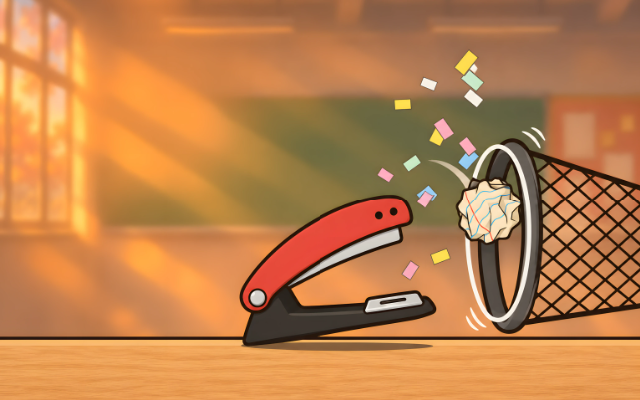
Chomp the stapler has seven balls of crumpled notebook paper and one job: get one in the bin. Hold to wind up, aim, and let go. Paper bounces off books, erasers, globes and service bells, pencil cups topple when you hit them, and every miss stays in the room, so a bad shot can set up a good one.
How to play
On a computer, hold the mouse button to wind up: time slows down while you aim, and the stapler opens wider the longer you hold. Point where you want the paper to go and let go. On a phone or tablet, drag from anywhere in the direction you want to shoot; a longer drag shoots harder. Get a ball into the wastebasket to clear the level. You have seven balls a level. Restart is free and instant, and if Chomp falls off the desk the level starts again by itself.
Tips
- Short holds are gentle lobs; hold longer for a hard, flat shot.
- The bin only counts a ball that comes in through its mouth, so line up with the opening.
- Missed balls stay where they land. Use them as stepping stones or to knock over a pencil cup.
- Erasers and bells bounce hard: a bank shot off one is often easier than a straight shot.
- When the bin is behind you, bounce off a wall or the ceiling to bring the paper back.
What’s inside
Twenty levels across four rooms of the school: the classroom, the library, the art room and the science lab. Each brings in something new to play with: stacks of textbooks that topple, bouncy erasers, a big classroom globe, a desk fan that blows paper upward, slippery plastic folders, service bells that kick the paper back, pencil cups hanging from binder clips, and rulers spinning on pins. Pick any level you’ve reached from the level list.
Controls
- Mouse
- Hold to wind up, aim, let go to shoot
- R
- Restart the level
- Esc
- Levels and settings
On a phone or tablet, use the on-screen buttons.
Bin It FAQ
Can I play Bin It without downloading it?
Yes. Bin It runs right in your web browser on Tofubi, so there's nothing to download or install. Just press play.
Is Bin It free?
Yes, Bin It is free to play, and you don't need an account to play it.
Can I play Bin It on my phone?
Yes. Bin It works on phones and tablets as well as computers: turn your phone sideways.
How do you play Bin It?
Mouse to hold to wind up, aim, let go to shoot. R to restart the level. Esc to levels and settings. On a phone or tablet, play with touch.
What kind of game is Bin It?
Bin It is a physics trick shot game: a puzzle and sports game. If you like it, try Tape Trail, Loose Ends or Droppy Ball.
Who made Bin It?
Bin It was made by the Tofubi team.
When did Bin It come out?
Bin It came out on Tofubi in November 2026.
Comments