Lights Out GP
Formula Racing Game
Unavailable right now
Works on computer, phone and tablet

Lights Out GP
About & controls W↑ Gas S↓Space Brake
About Lights Out GP
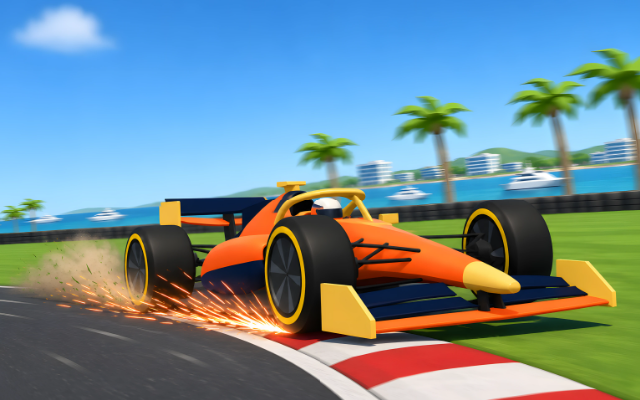
Five red lights, a heartbeat of silence, and then 20 cars dive for the first corner. Lights Out GP is a full 3D Grand Prix race in your browser: real downforce and tyre grip, slipstream down the straights, a rear-wing boost you earn by chasing the car ahead, and pit stops when your tyres give up. Pick a team, line up on the grid and fight your way to the front.
How to play
Hold the gas as the five lights go out and launch off the grid. Brake before each corner, turn in, and get back on the power as the car straightens. Stay on the asphalt: kerbs are fine, but grass and gravel slow you right down, and running wide too often costs you a time penalty. From lap 3, cross a detection line within one second of the car ahead and the boost lights up: open it on the straight for extra speed. In longer races your tyres wear and cool, so call a pit stop, pick a fresh set and rejoin. The race ends when you take the chequered flag, and the results show where everyone finished and the points they scored.
On a keyboard, W or Up is gas, S, Down or Space is brake, A and D or the arrows steer, Shift opens the boost, B calls a pit stop, C changes the camera, X looks back and P pauses. On a phone, steer with the pad on the left and use GAS, BRAKE and BOOST on the right. A gamepad works too.
Tips
- Brake in a straight line before the corner, not in it. The green-yellow-red racing line on Easy shows you where.
- Tuck in behind a rival on a straight: the slipstream pulls you along and sets up the boost for the next lap.
- Cold tyres slide. Take the first lap and the lap after a pit stop a little easier.
- Soft tyres are fastest but wear out first; hard tyres last the longest. In the rain, wets beat slicks.
- Stuck in the gravel? Press R (or Back on track in the pause menu) to rejoin.
What’s in it
Four circuits, each with its own scenery: Bayside Park, a modern track on a sunny bay; Riverside City, a fast street circuit along a river and under a bridge; Harbour Heights, a tight harbour street circuit with a hairpin ladder and a tunnel; and Ridgeback Highlands, a long mountain course below a volcano. There are ten teams with 20 rivals who pass, defend, make the odd mistake and plan their own pit stops, on three difficulties with driver aids to match. Choose Quick Race with 3 to 12 laps, 5 to 19 rivals and sun, cloud, rain or changing weather, or Time Trial to chase your own ghost lap. Five cameras: chase, close chase, cockpit, front wing and broadcast.
Controls
- W↑
- Gas
- S↓Space
- Brake
- AD←→
- Steer
- Shift
- Boost
- B
- Pit stop
- C
- Camera
- X
- Look back
- R
- Back on track
- P
- Pause
On a phone or tablet, use the on-screen buttons.
Lights Out GP FAQ
Can I play Lights Out GP without downloading it?
Yes. Lights Out GP runs right in your web browser on Tofubi, so there's nothing to download or install. Just press play.
Is Lights Out GP free?
Yes, Lights Out GP is free to play, and you don't need an account to play it.
Can I play Lights Out GP on my phone?
Yes. Lights Out GP works on phones and tablets as well as computers.
How do you play Lights Out GP?
W / ↑ to gas. S / ↓ / Space to brake. A / D / ← / → to steer. Shift to boost. B to pit stop. C to camera. X to look back. R to back on track. P to pause. On a phone or tablet, play with touch.
What kind of game is Lights Out GP?
Lights Out GP is a formula racing game: a racing and sports game. If you like it, try Poly Goal, Wreckless or Turbo Track.
Who made Lights Out GP?
Lights Out GP was made by the Tofubi team.
When did Lights Out GP come out?
Lights Out GP came out on Tofubi in November 2026.
Comments