Block Pop
Block Puzzle
Unavailable right now
Works on computer, phone and tablet
Block Pop
Loading…
About & controls Mouse Drag a block onto the board 123 Pick a block
About Block Pop
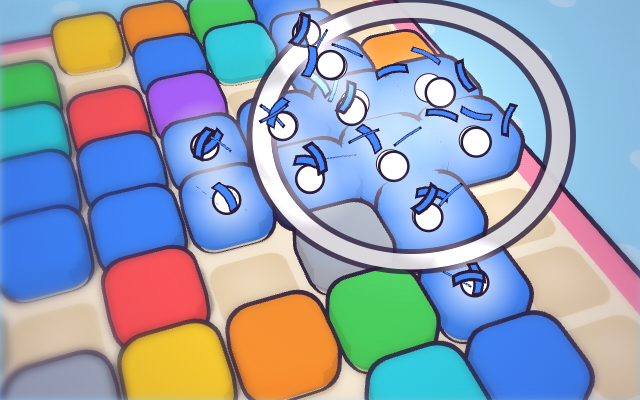
A calm block puzzle with chunky toy blocks and a small square board. Fill a whole row or column and it pops in a ripple of white puffs and paper ribbons. There’s no timer, just three blocks at a time and a best score to beat.
How to play
Drag one of the three blocks at the bottom onto the 8×8 board. Blocks can’t be turned, so each one goes in as it’s shown. While you drag, a ghost shows where it will land and colours in any lines it would finish. Fill a row or a column and it clears. When all three blocks are placed, a new set arrives, and the game ends when none of the blocks left fits anywhere. You score a point for every cell you place and 10 for every line you clear; once you’ve cleared a row and a column in a game, every line after that is worth 30. On a keyboard, press 1, 2 or 3 to pick a block, move it with the arrow keys and drop it with Enter or Space. Your first game starts with three short practice boards.
Tips
- Clear one row and one column early. From then on every line is worth 30 points instead of 10.
- Keep the combo going. Each clear in a streak adds 10 more points than the last, and the streak lasts through three drops without a clear. The fourth one ends it.
- Look at all three blocks before you drop one. If the ones left can’t fit anywhere, the game ends straight away, and boosters can’t help after that.
- About two blocks in three are small and simple: a two-cube bar, a flat bar of three, the 2×2 square or a flat 3×2 slab. Keep spaces those fit into.
Boosters, coins and saves
After the practice boards, four boosters sit by the board. Swap trades your tray for two single cubes and a two-cube bar, Row clears a row, Bomb clears a 3×3 patch and Column clears a column. They score nothing, but they don’t break your combo. Your first use of each is free; after that they cost 25, 50, 100 and 150 coins. You earn a coin for every drop that cleared a line, paid at the end of each game. You only pay once you tap a row, column or spot with blocks in it, so Cancel costs nothing.
The blocks come in 37 shapes, from a single cube to a five-long bar and a full 3×3 square, in nine colours. Every clear brings up a word, Nice!, Awesome! or Incredible!, as more lines go at once, and a Combo ×N sticker while a streak runs. A New best! banner shows the moment you pass your best score. The game saves after every drop, so you can close it and carry on later.
Controls
- Mouse
- Drag a block onto the board
- 123
- Pick a block
- Arrow keys
- Move it
- Enter
- Drop it
- Esc
- Put it back / pause
On a phone or tablet, use the on-screen buttons.
Block Pop FAQ
Can I play Block Pop without downloading it?
Yes. Block Pop runs right in your web browser on Tofubi, so there's nothing to download or install. Just press play.
Is Block Pop free?
Yes, Block Pop is free to play, and you don't need an account to play it.
Can I play Block Pop on my phone?
Yes. Block Pop works on phones and tablets as well as computers.
How do you play Block Pop?
Mouse to drag a block onto the board. 1 / 2 / 3 to pick a block. Arrow keys to move it. Enter to drop it. Esc to put it back / pause. On a phone or tablet, play with touch.
What kind of game is Block Pop?
Block Pop is a block puzzle: a puzzle game. If you like it, try Halfsies, Honeycomb Pick or Tiltfall.
Who made Block Pop?
Block Pop was made by the Tofubi team.
When did Block Pop come out?
Block Pop came out on Tofubi in November 2026.
Comments