Petri Pop
Bubble Shooter Evolution Game
Unavailable right now
Works on computer, phone and tablet

Petri Pop
About & controls WASD Move Arrow keys Move
About Petri Pop
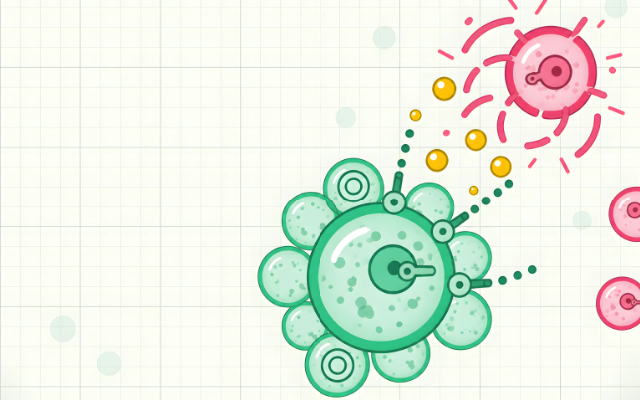
You are one small green cell on a microscope slide, and every dish around you is full of cells that want you popped. Pop them first. Every cell you burst drops golden goo, and every drop you soak up makes your bar grow, until you split into a bigger, tougher cell with new guns. Keep going and you’ll be a cell big enough to take on the Mother Cell herself.
How to play
Move with WASD or the arrow keys and aim with the mouse. Hold the mouse button to fire, and press Space for your special once your cell has one. On a phone, the left stick moves, the right stick aims and fires, and the Special button sits beside it. Popped cells leave golden goo behind: drift close and it pulls in to you. Clear a dish and all the goo left in it flies to you at once.
When your bar is full you grow, and you pick what you grow into from two or three new cells, each with its own guns and specials. Take too many hits and your bar empties: you shrink back to the cell you were before, with a nearly full bar. The very smallest cell can’t shrink, so instead it gets pushed out to a quiet dish to get its breath back. There’s no game over.
Every dish has four exits, top, bottom, left and right. Drift to the rim to slide over into the next one. Dishes near the start are calm; the further from the first dish you go, the bigger and meaner the cells get.
Tips
- Hug the rim when a dish is too hot. You can always slide out and come back later: the cells you hurt stay hurt.
- Big cells lose their outer bubbles as they take damage, so keep shooting the same one rather than spreading your fire.
- Pop the small fast cells first: they dart in and out, and they’re the ones that wear you down.
- A bigger cell moves slower. Fast little cells win on dodging, big ones on firepower, so pick each size with how you like to play in mind.
- Specials have their own timer. Fire them early in a fight, not as a last resort.
What’s inside
Seven sizes to grow through and 31 cells to grow into, from twin-gunned darters to slow giants that fire beams, rockets, seekers, shields and swarms of little helpers. The slide never ends: dishes go on in every direction, with more than forty kinds of rival cell, mini-bosses in the far dishes and, once you’re at the top size and full of goo, the Mother Cell. Your cell, your size and the dishes you’ve cleared are saved, so you can come back to the same run any time.
Controls
- WASD
- Move
- Arrow keys
- Move
- Mouse
- Aim
- Click (hold)
- Fire
- Space
- Special
- 123
- Pick a cell
- PEsc
- Pause
On a phone or tablet, use the on-screen buttons.
Petri Pop FAQ
Can I play Petri Pop without downloading it?
Yes. Petri Pop runs right in your web browser on Tofubi, so there's nothing to download or install. Just press play.
Is Petri Pop free?
Yes, Petri Pop is free to play, and you don't need an account to play it.
Can I play Petri Pop on my phone?
Yes. Petri Pop works on phones and tablets as well as computers.
How do you play Petri Pop?
W / A / S / D to move. Arrow keys to move. Mouse to aim. Click (hold) to fire. Space to special. 1 / 2 / 3 to pick a cell. P / Esc to pause. On a phone or tablet, play with touch.
What kind of game is Petri Pop?
Petri Pop is a bubble shooter evolution game: an action and arcade game. If you like it, try Quiver Chaos, Sky Slayer or Boxfire.
Who made Petri Pop?
Petri Pop was made by the Tofubi team.
When did Petri Pop come out?
Petri Pop came out on Tofubi in November 2026.
Comments